Code NUT20 at checkout for 25% off orders over $20
Code NUT30 at checkout for 33% off orders over $30
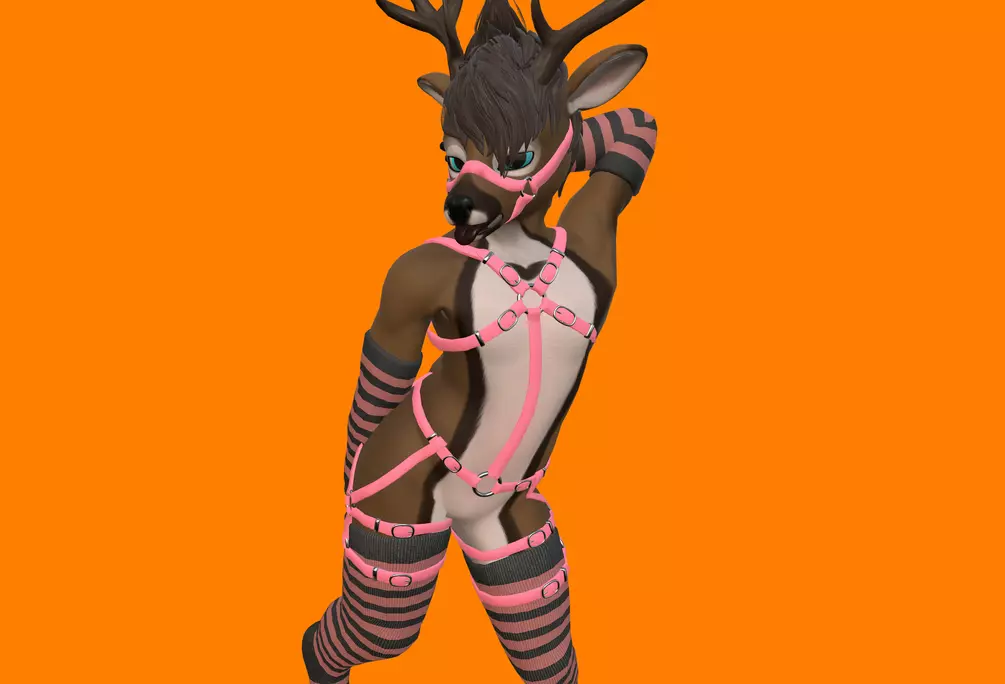
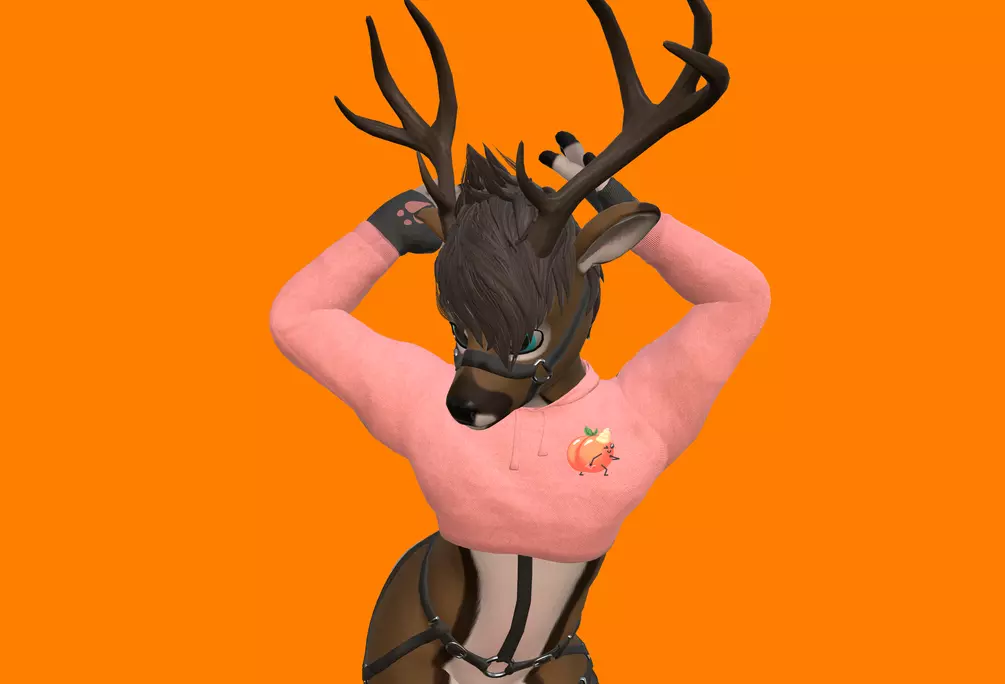
This is a Harness and Bridle for Nimbkoll's [Zawoo] Daring Deer base. Easy drag and drop installation with video walkthrough, and bridle moves with face automatically. Compatible with Thigh Highs & Warmers, Hoodie
VRC Demo Avatar
Included in Package:
VRC Fury Prefab (.prefab): Drag and drop prefab
Unity file (.unitypackage): Comes with the rigged model, blendshapes, 3 materials (Black, Tan, & Customizable Color)(Saved with Unity 2019.4.31f1).
Project file (.blend): Rigged 3D model (Saved with blender 3.5.0).
FBX file (.fbx 20,352 Tris): Rigged 3D model (Saved with blender 3.5.0).
Image textures (.png): Image textures for Poiyomi shader.
Substance Painter file (.spp): for texture customization. (Saved with Substance 3D Painter 8.3.0).
Installation Instructions:
VRC Fury: https://vrcfury.com/download
Poiyomi Shader: https://github.com/poiyomi/PoiyomiToonShader or https://discord.gg/poiyomi in #free-shader
Installation Video (forgot to say make sure all the repositories are checked on)
Download VRC Fury
Before Installing the latest Poiyomi Toon Shader delete the old "_PoiyomiShaders" in Assets>zawoodaringDeer>3D+2D_assets
Install the latest Poiyomi Toon Shader
Select the accessory prefab and drag onto the avatar root
Select the mesh by clicking twice on it in the scene view
Set blend shapes for assets you don't own to zero. (Compatible with Hoodie & Thigh Highs)
Upload!
Contact Info:
If you have any questions, concerns, feedback, run into any issues, or require assistance with setting up this asset, please feel free to reach out to me using the contact information provided below.
Licensing:
You are not allowed to resell any assets included in the package, or redistribute them in any way (even if they are modified).
You can share modified assets if parties have already purchased the assets.
Use on public avatars is permitted