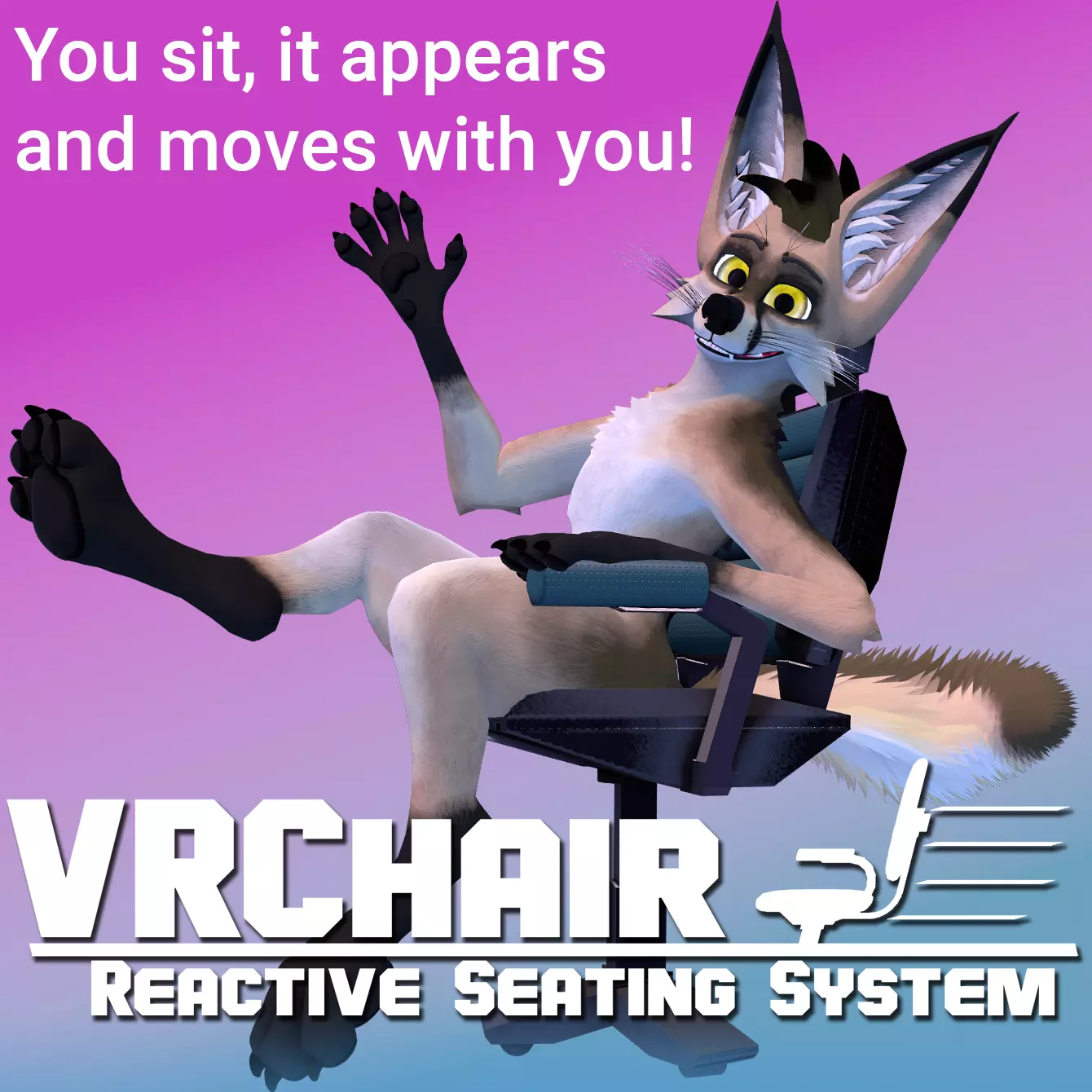
The VRChair System is an interactive and automatic chair system designed for use with VRChat avatars to provide a chair to sit on instead of floating in empty space!
Want to give it a try yourself? Check out one of my public avatar below!
Whether in full-body, half-body, or even on desktop; turn on the chair or enable its automatic sit detection and then sit down as a comfortable seat will slide in and match to your pose and then move with your body.
If you are using a real swivel chair or a beanbag you can match your IRL seat with a virtual one! With adjustments you can match the exact scale and positioning for a seamless IRL -> VR match.
The VRChair System is easily added to any VRChat avatar with drag and drop via VRCFury.
The chair is configurable in world via menu with automatic/manual modes, world constrain mode and more customization including 2 different spawn animations.
This system is Quest compatible but the Quest version of VRChat is not able to perform the same world rooting feature as with Desktop. This will be updated when VRChat updates with the upcoming enhanced constraint component.
System features:
-
Quest, Half body and Desktop compatible! (But does work best with Full body)
-
Six different chairs included: office chair, sci-fi chair, beanbag, yoga ball barstool and plastic lawn chair!
-
Chairs adjust to player height, rotation and leaning back
-
Beanbag with joint chains to conform to you as you sit down and get comfy
-
Poiyomi shader setup included
-
Tail collider included to reduce clipping
-
2 spawn animations included (Menu selectable)
-
Minimal parameter version included for avatars on a parameter budget.
-
Raw .blend, Substance Painter and Photoshop files included for customization.
Installation Steps:
-
Download VRCFury and add to your project.
-
Drag the desired prefab onto your avatar.
-
Move the hip/back/butt object to fit your individual avatar.
-
All ready! Just upload!
Full documentation for install/customization provided!