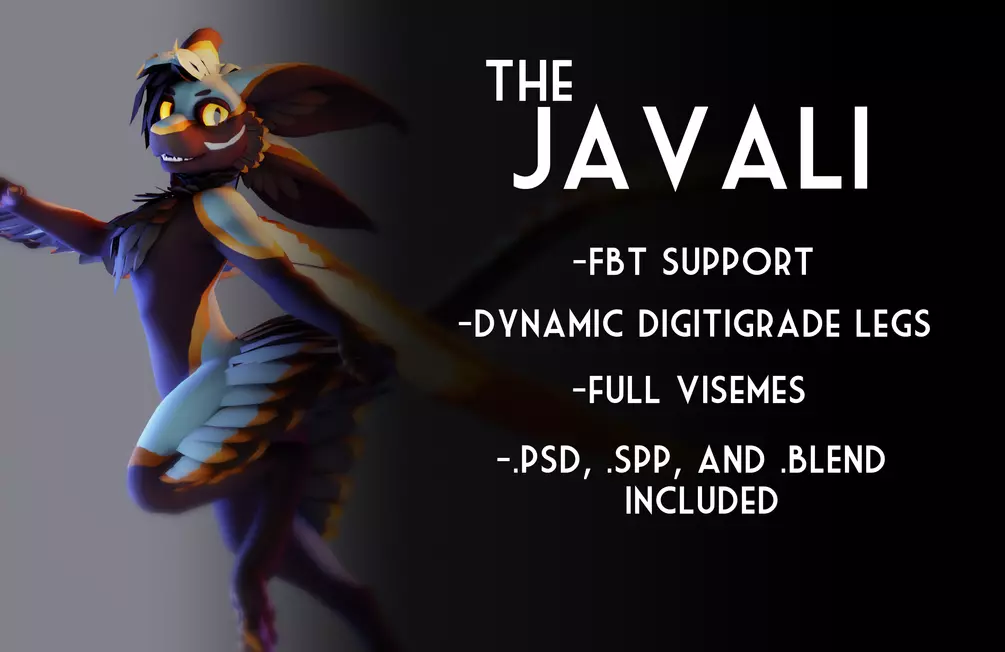
Chirp? Chirp.
The Avali are a race of small, raptor-like fluffy aliens from a frozen moon named Avalon. How come there are no Avali models that actually look like raptors, then? Introducing: the Javali, my own personal take on the Avali species. With a sleek and lean body, forward facing eyes, sharp teeth, and four sensitive ears, these are agile predators with a deceptively cute appearance. Boop with caution, you might lose a finger to that toothy grin!
This model includes....
Full visemes
Multiple dynamic expressions
Articulated Digitigrade legs (thank you @DragonSkyRunner!)
FBT and Desktop support
3 alternate textures
3 hair (feather?) styles
2 body shape blendshapes (chubby and fem)
2 tail configurations
pre-set up scene for easy customization
Cozy socks for your lanky bird legs
.PSD files for the feathers, hair, and body textures
Substance files for the main FBX and the socks
!!This model does not come with Dynamic Bones, you will have to download it separately! if you do not, you will see missing scripts on the avatar!!
Thank you to RyujinZERO for creating the Avali species, and @DragonSkyRunner for the digi leg tutorial
PLEASE NOTE: the .spp file for this avatar is made with an old version of Substance painter (7.1.1) and may act wonky when opened with a newer version. Specifically the layers seem to get disabled. they are there, you just have to enable them.
You cannot upload public versions of this model.
Please note that this avatar is NOT quest compatible.
Instructions
Make a new Unity (2019.4.31f1) project
Import the VRchat Avatars SDK3 into your new project (You can download it here). It's important to do this before adding your avatar. DO NOT use SDK2!!
Import the most recent Poiyomi package (You can download that here)
Import the newest version of Dynamic Bones from the Unity store
Double click the Javali v1.0 Unity package and import all items
Click from the 3 Avali in the scene (if you don't see any, double click the "Javali templates" scene in the assets folder).
Open the VRC SDK, sign in, build & upload!