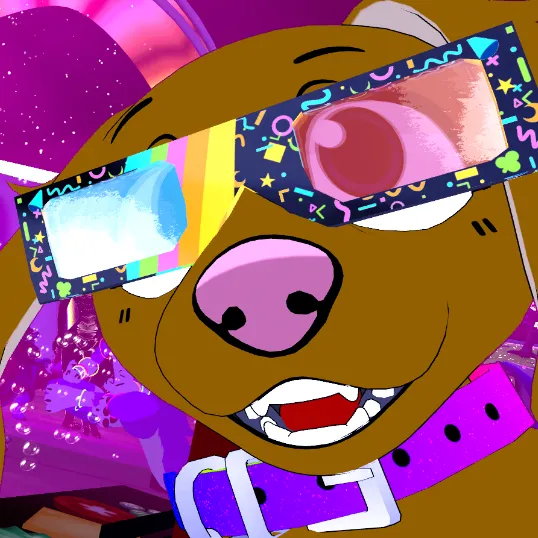

A collar with a counter that will show off how many nose boops you have received.
No text boxes floating above your head! No external software running in the background! It will feel very immersive and integrated into your avatar!
This collar is running on pure Unity magic!
Features:
-
Customizable collar with a counter in the front, displaying a number up to 999.999 - plus extra effect if you max out the counter - counter goes up with every nose boop!
-
The counter is fully synchronized with everbody and the values will always be saved (exception: resetting the avatar, this will force all parameters on your avatar to switch to default values! I prepared a guide for you to fix it in Unity in case that happens.)
-
Audiolink enabled! Get the party started!
-
Two versions: with dogtag (2.274 Tris, 1 Physbone) or without dogtag (1.086 Tris) - 4 materials
-
Poiyomi material and textures
-
Prefab with VRC-Fury script - install and remove with just a few mouse clicks. The script will install a full animator and all the animations and toggles. You want the asset gone? Remove everything by just deleting the asset from your avatar.
Content:
-
FBX
-
Unity Package
Requirements:
[
Poiyomi
](https://github.com/poiyomi/PoiyomiToonShader/releases)
Created with Poiyomi version 9.0.a29 - can be used without Poiyomi (needed for Audiolink and the max-out-effect)
[
VRCFury
](https://vrcfury.com/download)
VRC-Fury (free to download, can be added to the Creator Companion as well)
Credits: Thanks to RED_SIM for creating the Simple Counter Shader
Installation Guide:
Update Info:
31.01.2025:
-
Fine-tuned the calculations for the counter to be more precise (two decimal points more)
-
Added Debug-Menu with Unstuck-function (experimental), Unstuck does not reset your counter, just the animator states